Grok Imagine 1.5 AI plans 50% OFF
SaleShop Now26mins31secs99ms

Grok Imagine 1.5 AI

The #1 ranked AI video generator creates cinematic videos from your images and text. Powered by xAI's Grok Imagine Video 1.5 Preview — with synchronized audio, realistic object interaction, and smooth 720p output in seconds.

◆ 40

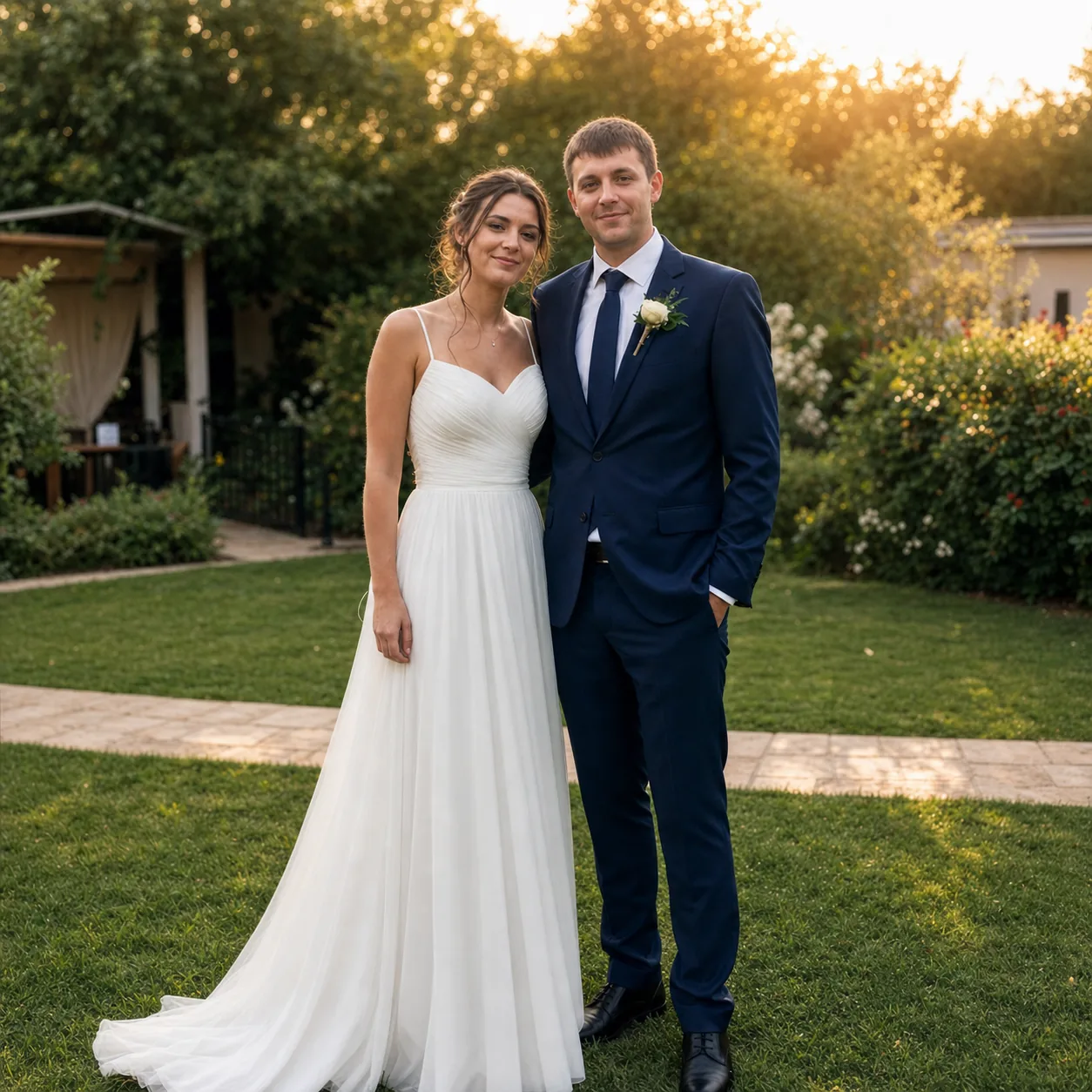
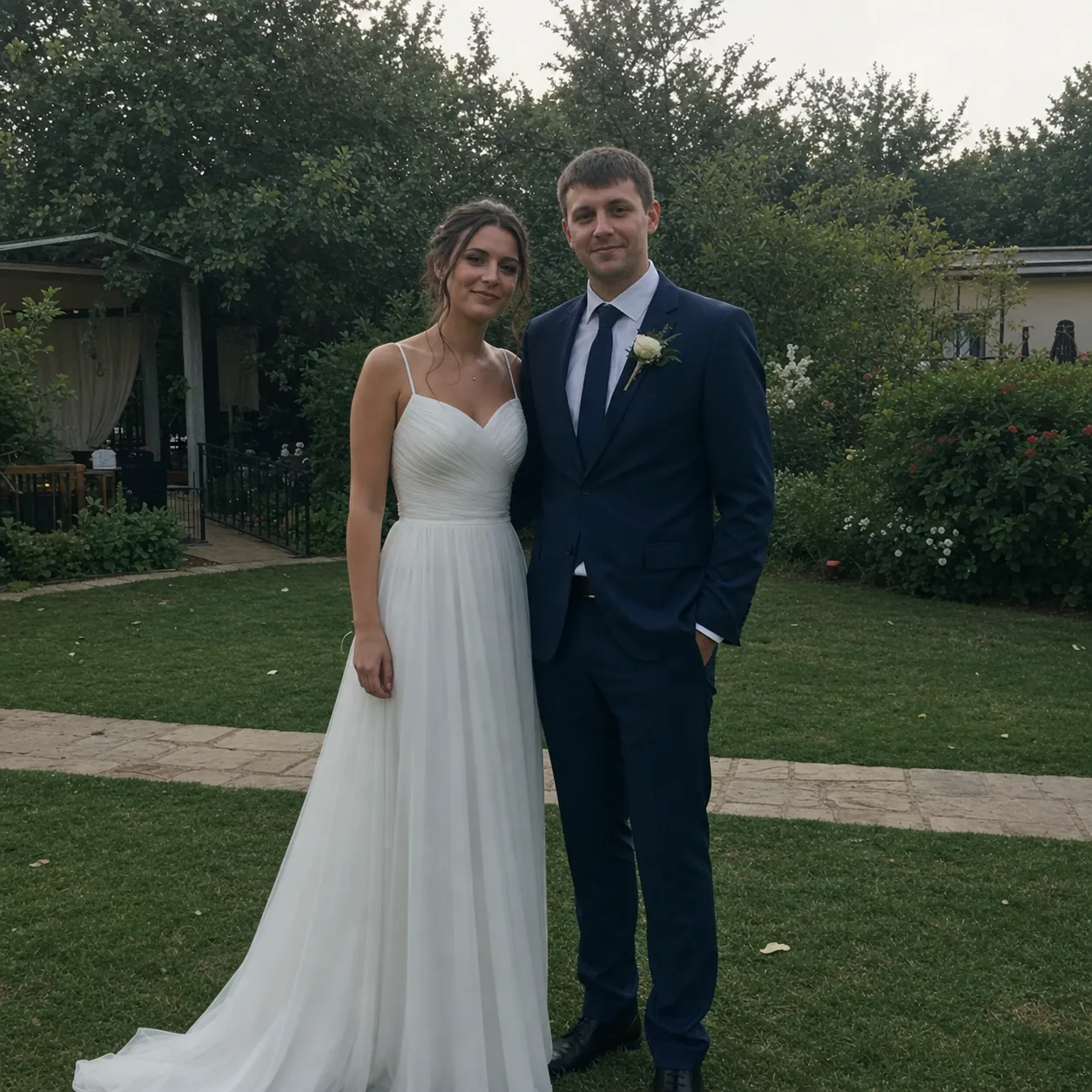
Grok Imagine 1.5 AI Image Generator & Image to Video — Before & After

Photo to Cinematic Video before
Original Image
Photo to Cinematic Video after
AI Video

Photo to Cinematic Video

Use Grok Imagine 1.5 image to video generator to transform a wedding photo into a cinematic clip — add gentle camera motion, warm golden hour glow, soft floral bokeh effect, and romantic background music synced to the movement.

Grok Imagine 1.5 Tutorial & Guide

How to Turn Image into Video with Grok Imagine 1.5 — A Complete Workflow Guide

Learn how to use Grok Imagine 1.5 and how to make videos with Grok Imagine 1.5 in this complete tutorial. Covers image to video, text to video, Grok Imagine 1.5 prompts, Grok Imagine 1.5 prompt generator, prompt examples, and the full creation workflow.

01

Upload an Image or Use a Grok Imagine 1.5 Prompt

Start with Grok Imagine 1.5 image to video — upload any photo and watch it come to life. Or try Grok Imagine 1.5 text to video: use a prompt generator or write your own describing the scene. The Grok Imagine 1.5 prompt examples in our suggestion panel are a great starting point. The model supports both modes with excellent prompt adherence.

02

Set Your Video Preferences & Extend Options

Choose 480p for faster generation at $0.09/video or 720p HD at $0.15/video. Set duration up to 15 seconds, or use Grok Imagine 1.5 video extend to lengthen your clips. Enable synchronized audio for dialogue, sound effects, and ambient sound. Pick 16:9, 9:16, or 1:1 aspect ratio.

03

Generate, Review, and Export Your AI Video

Click generate and Grok Imagine 1.5 produces your video with realistic motion, proper object interaction, and baked-in audio. This Grok Imagine 1.5 workflow takes seconds. Preview, refine your prompt, or extend the video. Export ready-to-use clips for social media, ads, or creative projects.

Why Grok Imagine 1.5 AI Video Generator

Why Creators Choose Grok Imagine 1.5 — #1 Ranked AI Video Generator

Grok Imagine Video 1.5 Preview tops the Image-to-Video Arena with 1473 ELO. It combines synchronized audio, realistic object interaction, and smooth motion in a single AI video generator that works from images or text.

Grok Imagine 1.5 Image to Video Generator

The core feature — upload any photo and Grok Imagine 1.5 image to video generator turns it into a smooth, realistic video clip. Objects stay consistent, motion is natural, and the transition from still to video is seamless. Perfect for bringing product shots, portraits, and landscapes to life.

Grok Imagine 1.5 Text to Video

Describe any scene in words and Grok Imagine 1.5 text to video generates a complete clip. Include camera direction, lighting, subject movement, and audio mood. The model interprets your prompt accurately and delivers production-quality results.

Grok Imagine 1.5 Video with Synchronized Audio

One of the standout features — Grok Imagine 1.5 generates synchronized audio including dialogue, sound effects, and ambient sound alongside your video. No more syncing audio in post-production. The sound arrives baked into your video clip.

#1 in Image-to-Video Arena (1473 ELO)

Grok Imagine Video 1.5 Preview ranks #1 in the Image-to-Video Arena, surpassing Dreamina Seedance 2.0 (1467) and Happyhorse 1.0 (1443). This independent ranking reflects real user preference for Grok Imagine 1.5's quality, motion realism, and overall output.

Realistic Motion & Object Interaction

Grok Imagine 1.5 renders realistic motion physics — fabric drapes naturally, fluids splash with proper behavior, rigid bodies collide with realistic weight. Objects interact correctly within scenes without morphing, flicker, or temporal drift.

Grok Imagine 1.5 Online — Access Anywhere

Use Grok Imagine 1.5 online from any browser. No expensive hardware needed, no complex setup. Just open the site, upload an image or type a prompt, and generate. Works for beginners exploring AI video and professionals producing client work.

Grok Imagine Video 1.5 Preview Technology

Grok Imagine 1.5 AI Video Generator — Technology & Capabilities

Grok Imagine 1.5 combines xAI's latest video generation architecture with synchronized audio synthesis, realistic physics simulation, and multi-modal input support. Here is what makes it the #1 ranked AI video generator.

Grok Imagine 1.5 Image to Video — Photo to Video in Seconds

The image to video feature is Grok Imagine 1.5's standout capability. Upload any reference image and the model animates it into a coherent video scene. Objects maintain their identity, motion follows natural physics, and the visual quality holds up at 720p. This is the feature that earned Grok Imagine 1.5 its #1 Arena ranking.

Upload any photo — animate it into a 15-second video
Objects stay consistent with no morphing or flicker
Supports 480p ($0.09) and 720p ($0.15) output
Try Image to Video

Grok Imagine 1.5 Video with Synchronized Audio

One of the most requested features in AI video — synchronized audio. Grok Imagine 1.5 generates dialogue, sound effects, ambient noise, and music that are perfectly synced to the visual content. The audio is baked directly into the output, eliminating the need for post-production audio syncing.

Dialogue and sound effects synced to video frames
Ambient audio and background music generation
Baked-in audio — no post-production needed
Explore Audio

Realistic Motion & Object Interaction in Grok Imagine 1.5

Grok Imagine 1.5 excels at realistic motion physics. Fabric drapes naturally with proper weight and gravity. Water splashes and flows with realistic fluid dynamics. Objects collide and interact without jarring transitions. This physical realism is what sets Grok Imagine 1.5 apart from other AI video generators.

Natural fabric motion and fluid dynamics
Realistic rigid body collisions
Clean temporal coherence — no flicker or artifacts
See Motion Quality

#1 Ranked — Grok Imagine 1.5 AI Video Generator

Grok Imagine Video 1.5 Preview holds the #1 spot in the Image-to-Video Arena with an ELO score of 1473. It outperforms Dreamina Seedance 2.0 (1467), Happyhorse 1.0 (1443), and every other model in overall user preference and output quality. Get 720p output, 15-second clips, and synchronized audio — all from one AI video generator.

#1 in Image-to-Video Arena — 1473 ELO
720p HD output with smooth frame rates
15-second clips with baked-in audio
Start Creating

Grok Imagine 1.5 Review

Grok Imagine 1.5 Review — What Creators Say About the #1 AI Video Generator

Real feedback from creators using Grok Imagine 1.5 AI video generator for image to video, text to video, and synchronized audio workflows.

Grok Imagine 1.5 image to video is a game changer. I uploaded a product photo and got a professional 15-second commercial with perfect motion and synced audio. No other AI video generator comes close.
Marcus Chen
Marcus Chen
E-commerce Creator
The synchronized audio in Grok Imagine 1.5 saves us hours of post-production. Dialogue and sound effects arrive perfectly synced to the video. It is a massive workflow improvement.
Sarah Mitchell
Sarah Mitchell
Video Producer
I was skeptical about Arena rankings, but after testing Grok Imagine 1.5 against Dreamina and Happyhorse, the #1 spot is well deserved. The motion quality is noticeably better.
David Park
David Park
AI Enthusiast
Grok Imagine 1.5 text to video is incredibly accurate. I describe complex scenes with specific camera movements and it delivers exactly what I imagined. The prompt adherence is outstanding.
Emily Zhang
Emily Zhang
Creative Director
For $0.09 per 480p video, Grok Imagine 1.5 is the best value in AI video generation. I batch-produce social content at scale without breaking the budget.
Jordan Lewis
Jordan Lewis
Social Media Manager
Grok Imagine 1.5 image to video is a game changer. I uploaded a product photo and got a professional 15-second commercial with perfect motion and synced audio. No other AI video generator comes close.
Marcus Chen
Marcus Chen
E-commerce Creator
The synchronized audio in Grok Imagine 1.5 saves us hours of post-production. Dialogue and sound effects arrive perfectly synced to the video. It is a massive workflow improvement.
Sarah Mitchell
Sarah Mitchell
Video Producer
I was skeptical about Arena rankings, but after testing Grok Imagine 1.5 against Dreamina and Happyhorse, the #1 spot is well deserved. The motion quality is noticeably better.
David Park
David Park
AI Enthusiast
Grok Imagine 1.5 text to video is incredibly accurate. I describe complex scenes with specific camera movements and it delivers exactly what I imagined. The prompt adherence is outstanding.
Emily Zhang
Emily Zhang
Creative Director
For $0.09 per 480p video, Grok Imagine 1.5 is the best value in AI video generation. I batch-produce social content at scale without breaking the budget.
Jordan Lewis
Jordan Lewis
Social Media Manager

Grok Imagine 1.5 AI Video Generator Pricing & Cost

Transparent Grok Imagine 1.5 cost and pricing for AI video generation. From solo creators testing image to video to studios running full production pipelines with API access and commercial use license.

GROK IMAGINE 1.5 LAUNCHLimited launch pricing — secure your plan now!

You have unlocked Grok Imagine 1.5 launch pricing

50% OFF

Offer ends in:

26
mins
31
secs
99
ms

Cancel anytime

Starter

$19.8$9.8/month

$117.6 billed annually

Save $120/year

For creators exploring Grok Imagine 1.5 AI video generator — test image to video and text to video with synchronized audio on a budget.

9,600
Credits/year
Cost per 100 credits
$1.22
  • Commercial Use LicenseYearly Only
  • Priority Queue
  • No Watermark
  • 720p HD Output
  • Private Generations
  • Synchronized Audio
  • Image to Video Access
  • Text to Video Access
  • Free Video UpscalerYearly Only
  • Batch Generation
Most Popular

Pro

$39.9$19.95/month

$239.4 billed annually

Save $239.4/year

For professionals producing regular content with Grok Imagine 1.5 AI video generator — image to video, text to video, and synchronized audio at 720p.

Adjust Credits
1x
1x5x (up to 25% bonus credits)
57,600
Credits/year
Cost per 100 credits
$0.42
  • Commercial Use LicenseYearly Only
  • Priority Queue
  • No Watermark
  • 720p HD Output
  • Image to Video Generator
  • Text to Video Generator
  • Synchronized Audio
  • Private Generations
  • API Access
  • Free Video UpscalerYearly Only
  • Batch Generation
  • Custom Enterprise ServiceYearly Only

Studio

$199.9$99.95/month

$1,199.4 billed annually

Save $1,199.4/year

For studios running high-volume Grok Imagine 1.5 production pipelines — unlimited image to video, text to video, and priority support.

360,000
Credits/year
Cost per 100 credits
$0.33
  • Commercial Use License
  • Priority Queue
  • No Watermark
  • 720p HD Output
  • Image to Video Generator
  • Text to Video Generator
  • Synchronized Audio
  • Private Generations
  • API Access
  • Free Video Upscaler
  • Batch Generation
  • Custom Enterprise Service
  • Dedicated Support
Launch SpecialActive

Launch Pricing: Save 50% on Grok Imagine 1.5 Annual Plans 50%

Grok Imagine 1.5 creatorGrok Imagine 1.5 creatorGrok Imagine 1.5 creator
Join creators using the #1 ranked AI video generator4.9/5.0 from 10,000+ creators
LIVE146+upgraded this week
  • Cancel anytime
  • 30-day money back
  • Commercial use included
Secure payment
MastercardVisaAmerican ExpressApple PayGoogle PayJCBDiscover
?Need help with Grok Imagine 1.5?
Contact Billing Support

We typically respond within one business day

Questions about Grok Imagine 1.5 pricing or features? Email us at hi@grokimagine15.ai

Grok Imagine 1.5 FAQ

Grok Imagine 1.5 AI Video Generator — Frequently Asked Questions

Everything you need to know about Grok Imagine 1.5 AI video generator: how to use image to video, text to video, pricing, and features.

What is Grok Imagine 1.5 AI?

Grok Imagine 1.5 AI is an AI video generator built on xAI's Grok Imagine Video 1.5 Preview model. It creates videos from images (image to video) and text descriptions (text to video) with synchronized audio, realistic motion, and 720p output. It is currently ranked #1 in the Image-to-Video Arena with a 1473 ELO score.

How do I use Grok Imagine 1.5 image to video?

For a complete Grok Imagine 1.5 tutorial: upload any photo or image, write a description of how you want it to animate, choose your settings (480p or $0.09/video, 720p at $0.15/video, duration up to 15 seconds, with or without audio), and click generate. The model will animate your image into a smooth video clip with realistic motion and synchronized audio. Use our prompt generator or browse Grok Imagine 1.5 prompts above for ideas. See the full Grok Imagine 1.5 guide for more prompt examples and best practices.

How does Grok Imagine 1.5 text to video work?

Grok Imagine 1.5 text to video lets you generate videos entirely from text descriptions. Write a prompt describing the scene, subject, action, camera movement, lighting, and audio mood. The model interprets your text and generates a corresponding video clip. For best results, include specific details about motion, style, and audio requirements.

Does Grok Imagine 1.5 generate audio with video?

Yes. Grok Imagine 1.5 generates synchronized audio including dialogue, sound effects, ambient sound, and background music alongside your video. The audio is baked directly into the output file — no post-production syncing required. This is one of the key features that sets Grok Imagine 1.5 apart from other AI video generators.

What resolution and pricing does Grok Imagine 1.5 offer?

Grok Imagine 1.5 offers two quality tiers: 480p at $0.09 per video and 720p HD at $0.15 per video. Videos can be up to 15 seconds long. Credits are used for generation and can be purchased through monthly subscriptions or one-time packs that never expire.

Is Grok Imagine 1.5 really ranked #1?

Yes. Grok Imagine Video 1.5 Preview holds the #1 position in the Image-to-Video Arena with an ELO score of 1473 (as of May 29, 2026). It outperforms Dreamina Seedance 2.0 (1467 ELO) and Happyhorse 1.0 (1443 ELO) in overall quality and user preference.

Can I extend videos and what is the Grok Imagine 1.5 model?

Yes, Grok Imagine 1.5 video extend lets you lengthen your clips beyond the initial 15-second generation. The Grok Imagine 1.5 model is xAI's Grok Imagine Video 1.5 Preview — a state-of-the-art video generation model ranked #1 in the Image-to-Video Arena. All paid plans include a Grok Imagine 1.5 commercial use license, allowing you to use outputs for business and client work.

Can I use Grok Imagine 1.5 videos commercially?

Yes. All paid Grok Imagine 1.5 plans include a commercial use license and full Grok Imagine 1.5 license for business, advertising, client work, and commercial projects. See our pricing page for license details.

Grok Imagine 1.5 vs Dreamina, Sora, Runway, Kling, Pika, and Hailuo?

Grok Imagine 1.5 ranks #1 in the Image-to-Video Arena (1473 ELO), above Dreamina Seedance 2.0 (1467) and Happyhorse 1.0 (1443). In comparisons: Grok Imagine 1.5 vs Seedance and Grok Imagine 1.5 vs Dreamina — Grok wins on motion and audio. Grok Imagine 1.5 vs Runway — better image to video. Grok Imagine 1.5 vs Kling and Grok Imagine 1.5 vs Pika — superior synchronized audio and object interaction. Grok Imagine 1.5 vs Hailuo — cleaner motion and temporal coherence. As for Grok Imagine 1.5 vs Sora or Grok Imagine 1.5 vs Veo 3, this model offers practical output at a more accessible price point. For users asking about Grok Imagine 1.5 alternatives or the best Grok Imagine 1.5 alternative, the #1 Arena ranking speaks for itself.

How do I access Grok Imagine 1.5 online and is there an API?

Learn how to access Grok Imagine 1.5 online: visit this website directly from any browser — no download or installation needed. Create a free account and start with free credits. For developers: Grok Imagine 1.5 API is available on paid plans, with API pricing based on credit usage. See our pricing page for Grok Imagine 1.5 API pricing details and rate limits. The API supports both image to video and text to video generation.

Still have questions about Grok Imagine 1.5?

Start Creating with Grok Imagine 1.5 AI Today

Try the #1 ranked AI video generator. Turn images into videos, write prompts to generate clips, and add synchronized audio — all from one tool. Grok Imagine 1.5 AI is free to start.